🧰 Prerequisites
🌍 Step 1: Install Antigravity
To get started with Antigravity, follow the official setup:
Visit: https://antigravity.google/
- Follow the installation steps based on your operating system
👉 If you're completely new, follow this beginner codelab:
💻 Step 2: Install Antigravity on macOS
- Download Antigravity from the official website
- Open the installer and follow the setup instructions
- Choose Recommended Settings during installation
⚙️ Step 3: Configure the Editor
Once installed:
- Launch Antigravity
- Complete initial setup (sign in if required)
- Configure your preferred editor settings (theme, font, etc.)
📁 Step 4: Create Your Project Workspace
- Click on "Open Folder"
- Create a new folder: Genui_Codelab Workshop(You can choose any name if you prefer)
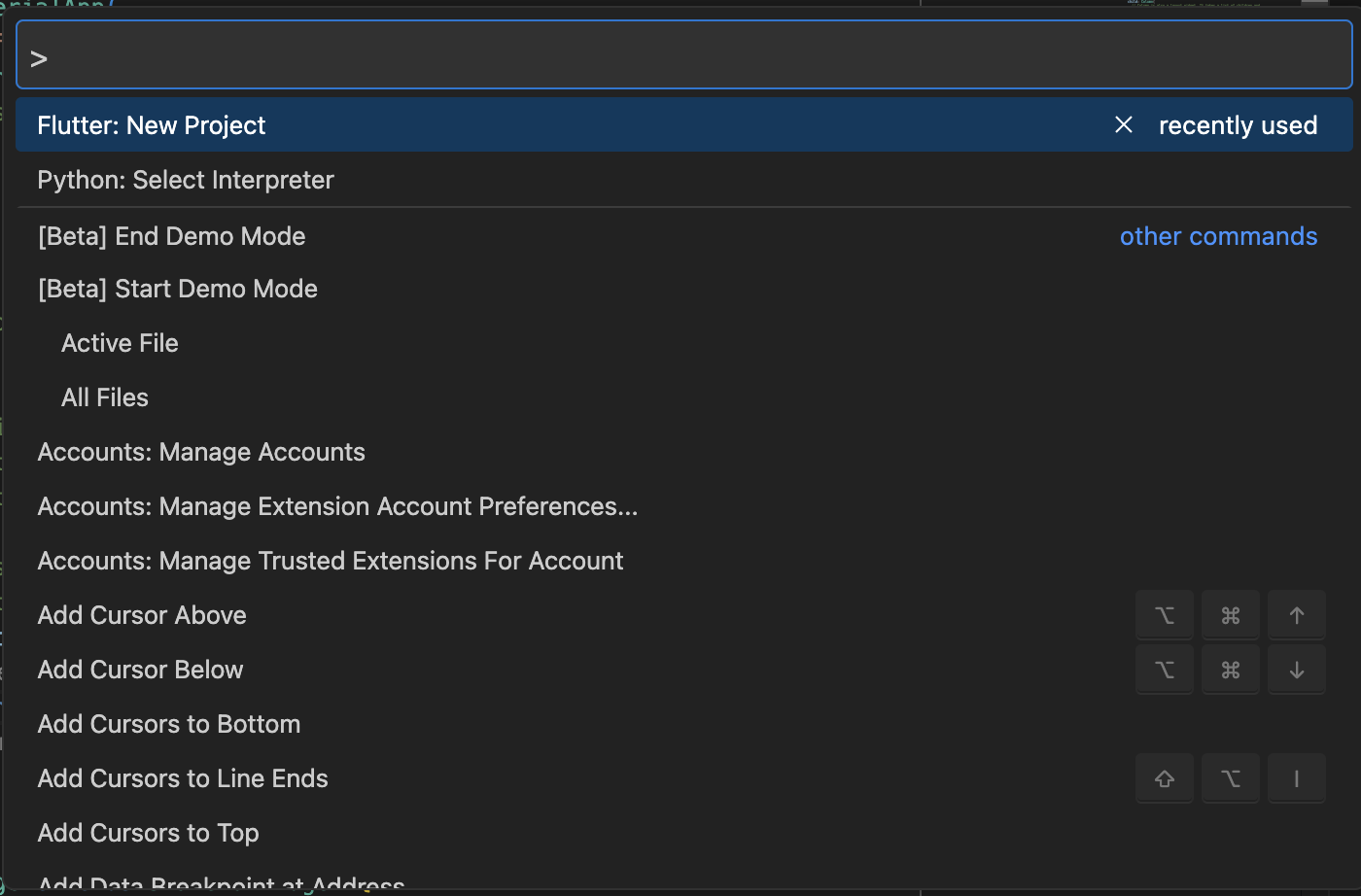
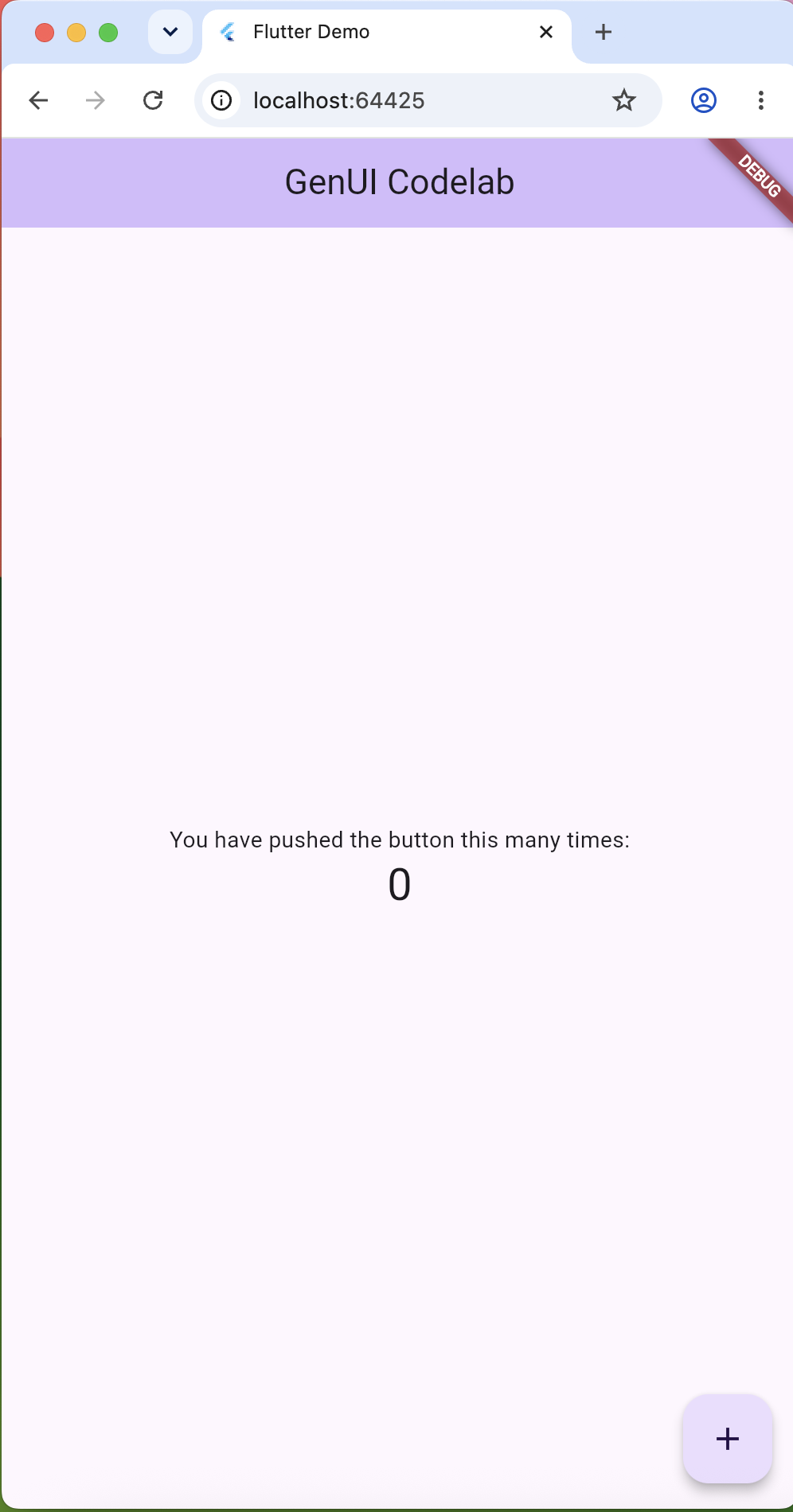
- Select this folder as your workspace, create the Flutter App in your worksapace and run the basic Flutter app. Just change the title to "GenUI Codelab."
-
What you will build
In this codelab, you will build the app in three stages.
Stage 1: Basic Gemini chat app
Stage 2: Add GenUI with the default catalog
Stage 3: Add a custom travel catalog
At the end of each stage, you will run and test the app. I have specially designed 3 different stages so you can understand the difference between all the stages.
Final app features
By the end of the workshop, your Flutter app will:
- Connect to Gemini using Firebase AI Logic
- Use Firebase Anonymous Authentication
- Stream Gemini responses
- Render normal chat bubbles
- Render GenUI surfaces using the default GenUI catalog
- Render your own custom travel widgets
- Support action buttons that send events back to Gemini
Final architecture
User
  ↓
Flutter App
  ↓
GenUI Conversation
  ↓
Firebase AI Logic
  ↓
Gemini
  ↓
A2UI / GenUI response
  ↓
Flutter renders text or generated UI
Run:
flutter pub add firebase_core firebase_auth firebase_ai genui json_schema_builder
flutter pub get
Your pubspec.yaml should include:
dependencies:
  flutter:
    sdk: flutter
  cupertino_icons: ^1.0.8
  firebase_core: ^4.0.0
  firebase_auth: ^6.0.0
  firebase_ai: ^3.0.0
  genui: ^0.9.2
  json_schema_builder: ^0.1.5
Package purpose:
Package | Purpose |
| Initialize Firebase |
| Anonymous sign-in |
| Connect to Gemini using Firebase AI Logic |
| Render AI-generated Flutter UI |
| Define schemas for custom GenUI widgets |
Step 3: Set up Firebase AI Logic
In this step, we will connect our Flutter app to Firebase and enable Firebase AI Logic, so our Flutter app can use Gemini.
Firebase AI Logic allows your app to use Gemini models directly from Firebase.
3.1 Log in to Firebase
Open your terminal and run:
npx -y firebase-tools@latest login
This will open a browser window.
Sign in with the Google account you use for Firebase.
3.2 Enable Firebase AI Logic from Firebase Console
Now open the Firebase Console and select your Firebase project.
Go to:
Build → Firebase AI Logic
Click:
Get started
Firebase will ask you to choose how you want to use Gemini.
You can choose one of these options:
Gemini Developer API
or
Vertex AI Gemini API
For this beginner codelab, you can choose:
Gemini Developer API
This is simpler for learning and testing.
3.3 Upgrade to Blaze plan
To use Firebase AI Logic, your Firebase project needs to be on the Blaze plan.
In Firebase Console:
Project settings → Usage and billing → Modify plan
Choose:
Blaze plan
Add your billing account.
Explain to learners:
Firebase AI features may have usage costs, so always set budget alerts and monitor your usage while testing.
3.4 Initialise Firebase AI Logic
Go back to your terminal.
Make sure you are inside your Flutter project folder.
Run:
npx -y firebase-tools@latest init ailogic
The CLI will ask you to select a Firebase project.
Choose the same project where you enabled Firebase AI Logic.
This prepares your project to use Firebase AI Logic.
3.5 Configure Firebase for Flutter
Now run:
flutterfire configure
This command connects your Flutter app with your Firebase project.
It will ask you to select:
Firebase project
and the platforms you want to support, such as:
AndroidiOSWebmacOS
For this workshop, choose the platforms you want to run the app on.
3.6 Check generated Firebase files
After flutterfire configure finishes, it creates Firebase configuration files.
You should see:
lib/firebase_options.dartandroid/app/google-services.jsonios/Runner/GoogleService-Info.plist
These files connect your Flutter app to Firebase.
Do not delete them.
3.7 Initialise Firebase in Flutter
Open:
lib/main.dart
Add these imports at the top:
import 'package:firebase_core/firebase_core.dart';import 'firebase_options.dart';
Now update your main() function:
void main() async {  WidgetsFlutterBinding.ensureInitialized();
 await Firebase.initializeApp(    options: DefaultFirebaseOptions.currentPlatform,  );
  runApp(const MyApp());}
3.8 Run the app
Now run:
flutter run
If everything is working, the app should start without Firebase errors.
At this point, you have completed Firebase setup.
You have:
✅ Logged in to Firebase✅ Enabled Firebase AI Logic✅ Chosen Gemini Developer API or Vertex AI Gemini API✅ Upgraded to Blaze plan✅ Initialised Firebase AI Logic✅ Configured Firebase for Flutter✅ Generated Firebase config files✅ Added Firebase packages✅ Initialised Firebase in main.dart
Keep Firebase secrets out of Git
Firebase configuration files can contain API keys and project-specific settings.
For this workshop, do not commit these Firebase config files to GitHub.
Open your .gitignore file and add:
lib/firebase_options.dart
android/app/google-services.json
ios/Runner/GoogleService-Info.plist
firebase-config.json
Each developer should run this command on their own machine:
flutterfire configure
This will generate their own Firebase configuration files locally.
Enable Anonymous Authentication
Open Firebase Console.
Go to:
Authentication → Sign-in method → Anonymous → Enable
Click Save.
Firebase AI Logic requires an authenticated user. For this workshop, we use anonymous sign-in.
In this stage, we will build a normal Flutter chat app.
At the end of this stage, the app will:
- Send text messages to Gemini
- Stream Gemini responses
- Show user and assistant messages as chat bubbles
- Use Firebase anonymous authentication
No GenUI yet.
file structure
After this stage, your lib/ The folder will look like this:
lib/
├── main.dart
├── firebase_options.dart
├── models/
│   └── chat_message.dart
├── services/
│   └── chat_service.dart
└── screens/
    └── basic_chat_screen.dart
Create lib/models/chat_message.dart
Create this file:
lib/models/chat_message.dart
Paste this complete code:
enum ChatRole { user, assistant }

class ChatMessage {
  const ChatMessage({
    required this.role,
    required this.text,
    this.isStreaming = false,
  });

  final ChatRole role;
  final String text;
  final bool isStreaming;

  ChatMessage copyWith({
    ChatRole? role,
    String? text,
    bool? isStreaming,
  }) {
    return ChatMessage(
      role: role ?? this.role,
      text: text ?? this.text,
      isStreaming: isStreaming ?? this.isStreaming,
    );
  }
}
This file creates a simple model for one chat message. Each message stores who sent it, using which can be either user or assistant. It also stores the message text, such as the question typed by the user or the answer returned by Gemini. The isStreaming value tells the app whether the assistant response is still being generated. The copyWith() method helps us update part of a message, for example adding more text while Gemini is streaming a response, without rewriting the whole object.
Create lib/models/chat_message.dart
Create this file:
lib/models/chat_message.dart
Paste this complete code:
enum ChatRole { user, assistant }

class ChatMessage {
  const ChatMessage({
    required this.role,
    required this.text,
    this.isStreaming = false,
  });

  final ChatRole role;
  final String text;
  final bool isStreaming;

  ChatMessage copyWith({
    ChatRole? role,
    String? text,
    bool? isStreaming,
  }) {
    return ChatMessage(
      role: role ?? this.role,
      text: text ?? this.text,
      isStreaming: isStreaming ?? this.isStreaming,
    );
  }
}
This file creates a simple model for one chat message. Each message stores who sent it, using which can be either user or assistant. It also stores the message text, such as the question typed by the user or the answer returned by Gemini. The isStreaming value tells the app whether the assistant response is still being generated. The copyWith() method helps us update part of a message, for example adding more text while Gemini is streaming a response, without rewriting the whole object.
Create lib/services/chat_service.dart
Create this file:
lib/services/chat_service.dart
Paste this complete code:
import 'package:firebase_ai/firebase_ai.dart';

class ChatService {
  ChatService() {
    final googleAI = FirebaseAI.googleAI();

    final model = googleAI.generativeModel(
      model: 'gemini-flash-latest',
    );

    _chat = model.startChat();
  }

  late final ChatSession _chat;

  Stream<String> sendMessage(String message) async* {
    final responseStream = _chat.sendMessageStream(
      Content.text(message),
    );

    await for (final chunk in responseStream) {
      final text = chunk.text;

      if (text != null && text.isNotEmpty) {
        yield text;
      }
    }
  }
}
What this file does
This file connects your Flutter app to Gemini using Firebase AI Logic.
Important APIs:
API | Purpose |
| Uses Gemini through Firebase AI Logic |
| Selects the Gemini model |
| Starts a multi-turn chat session |
| Streams partial responses |
Create lib/screens/basic_chat_screen.dart
Create this file:
lib/screens/basic_chat_screen.dart
Paste this complete code:
import 'package:flutter/material.dart';

import '../models/chat_message.dart';
import '../services/chat_service.dart';

class BasicChatScreen extends StatefulWidget {
  const BasicChatScreen({super.key});

  @override
  State<BasicChatScreen> createState() => _BasicChatScreenState();
}

class _BasicChatScreenState extends State<BasicChatScreen> {
  final _textController = TextEditingController();
  final _scrollController = ScrollController();

  final List<ChatMessage> _messages = [];
  ChatService? _chatService;

  bool _isLoading = false;

  Future<void> _sendMessage() async {
    final text = _textController.text.trim();

    if (text.isEmpty || _isLoading) return;

    setState(() {
      _messages.add(
        ChatMessage(
          role: ChatRole.user,
          text: text,
        ),
      );

      _messages.add(
        const ChatMessage(
          role: ChatRole.assistant,
          text: '',
          isStreaming: true,
        ),
      );

      _isLoading = true;
    });

    _textController.clear();
    _scrollToBottom();

    final assistantIndex = _messages.length - 1;
    var fullResponse = '';

    try {
      _chatService ??= ChatService();

      await for (final chunk in _chatService!.sendMessage(text)) {
        fullResponse += chunk;

        setState(() {
          _messages[assistantIndex] = ChatMessage(
            role: ChatRole.assistant,
            text: fullResponse,
            isStreaming: true,
          );
        });

        _scrollToBottom();
      }

      setState(() {
        _messages[assistantIndex] = ChatMessage(
          role: ChatRole.assistant,
          text: fullResponse.isEmpty ? 'No response received.' : fullResponse,
          isStreaming: false,
        );

        _isLoading = false;
      });
    } catch (error) {
      setState(() {
        _messages[assistantIndex] = ChatMessage(
          role: ChatRole.assistant,
          text: 'Something went wrong: $error',
          isStreaming: false,
        );

        _isLoading = false;
      });
    }

    _scrollToBottom();
  }

  void _scrollToBottom() {
    WidgetsBinding.instance.addPostFrameCallback((_) {
      if (!_scrollController.hasClients) return;

      _scrollController.animateTo(
        _scrollController.position.maxScrollExtent,
        duration: const Duration(milliseconds: 250),
        curve: Curves.easeOut,
      );
    });
  }

  Widget _buildMessage(ChatMessage message) {
    final isUser = message.role == ChatRole.user;
    final colorScheme = Theme.of(context).colorScheme;

    return Align(
      alignment: isUser ? Alignment.centerRight : Alignment.centerLeft,
      child: Container(
        margin: const EdgeInsets.only(bottom: 12),
        padding: const EdgeInsets.symmetric(horizontal: 14, vertical: 10),
        constraints: BoxConstraints(
          maxWidth: MediaQuery.sizeOf(context).width * 0.8,
        ),
        decoration: BoxDecoration(
          color: isUser
              ? colorScheme.primaryContainer
              : colorScheme.surfaceContainerHighest,
          borderRadius: BorderRadius.circular(16),
        ),
        child: Text(
          message.text.isEmpty && message.isStreaming
              ? 'Thinking...'
              : message.text,
          style: TextStyle(
            color: isUser
                ? colorScheme.onPrimaryContainer
                : colorScheme.onSurface,
          ),
        ),
      ),
    );
  }

  @override
  void dispose() {
    _textController.dispose();
    _scrollController.dispose();
    super.dispose();
  }

  @override
  Widget build(BuildContext context) {
    final isEmpty = _messages.isEmpty;

    return Scaffold(
      appBar: AppBar(
        title: const Text('Basic Gemini Chat'),
      ),
      body: Column(
        children: [
          Expanded(
            child: isEmpty
                ? const Center(
                    child: Padding(
                      padding: EdgeInsets.all(24),
                      child: Text(
                        'Ask Gemini something.\n\nExample:\nPlan a weekend trip to Paris.',
                        textAlign: TextAlign.center,
                      ),
                    ),
                  )
                : ListView.builder(
                    controller: _scrollController,
                    padding: const EdgeInsets.all(16),
                    itemCount: _messages.length,
                    itemBuilder: (context, index) {
                      return _buildMessage(_messages[index]);
                    },
                  ),
          ),
          if (_isLoading) const LinearProgressIndicator(),
          SafeArea(
            child: Padding(
              padding: const EdgeInsets.all(12),
              child: Row(
                children: [
                  Expanded(
                    child: TextField(
                      controller: _textController,
                      enabled: !_isLoading,
                      decoration: const InputDecoration(
                        hintText: 'Type your message...',
                        border: OutlineInputBorder(),
                      ),
                      onSubmitted: (_) => _sendMessage(),
                    ),
                  ),
                  const SizedBox(width: 8),
                  IconButton.filled(
                    onPressed: _isLoading ? null : _sendMessage,
                    icon: const Icon(Icons.send),
                  ),
                ],
              ),
            ),
          ),
        ],
      ),
    );
  }
}
What this file does
This screen:
- shows chat bubbles
- lets users type messages
- sends messages to Gemini
- streams responses
- updates the assistant bubble while Gemini responds
Replace lib/main.dart for Stage 1
Open:
lib/main.dart
Replace everything with this complete code:
import 'package:firebase_auth/firebase_auth.dart';
import 'package:firebase_core/firebase_core.dart';
import 'package:flutter/material.dart';

import 'firebase_options.dart';
import 'screens/basic_chat_screen.dart';

void main() {
  WidgetsFlutterBinding.ensureInitialized();
  runApp(const BootstrapApp());
}

class BootstrapApp extends StatefulWidget {
  const BootstrapApp({super.key});

  @override
  State<BootstrapApp> createState() => _BootstrapAppState();
}

class _BootstrapAppState extends State<BootstrapApp> {
  late Future<String?> _initFuture;

  @override
  void initState() {
    super.initState();
    _initFuture = _initialize();
  }

  Future<String?> _initialize() async {
    try {
      await Firebase.initializeApp(
        options: DefaultFirebaseOptions.currentPlatform,
      );

      if (FirebaseAuth.instance.currentUser == null) {
        await FirebaseAuth.instance.signInAnonymously();
      }

      return null;
    } catch (error) {
      return error.toString();
    }
  }

  @override
  Widget build(BuildContext context) {
    return MaterialApp(
      title: 'Basic Gemini Chat',
      debugShowCheckedModeBanner: false,
      theme: ThemeData(
        colorScheme: ColorScheme.fromSeed(seedColor: Colors.deepPurple),
        useMaterial3: true,
      ),
      home: FutureBuilder<String?>(
        future: _initFuture,
        builder: (context, snapshot) {
          if (snapshot.connectionState != ConnectionState.done) {
            return const Scaffold(
              body: Center(
                child: CircularProgressIndicator(),
              ),
            );
          }

          final error = snapshot.data;

          if (error != null) {
            return Scaffold(
              body: Center(
                child: Padding(
                  padding: EdgeInsets.all(24),
                  child: Text(
                    'Error: $error',
                    textAlign: TextAlign.center,
                  ),
                ),
              ),
            );
          }

          return const BasicChatScreen();
        },
      ),
    );
  }
}
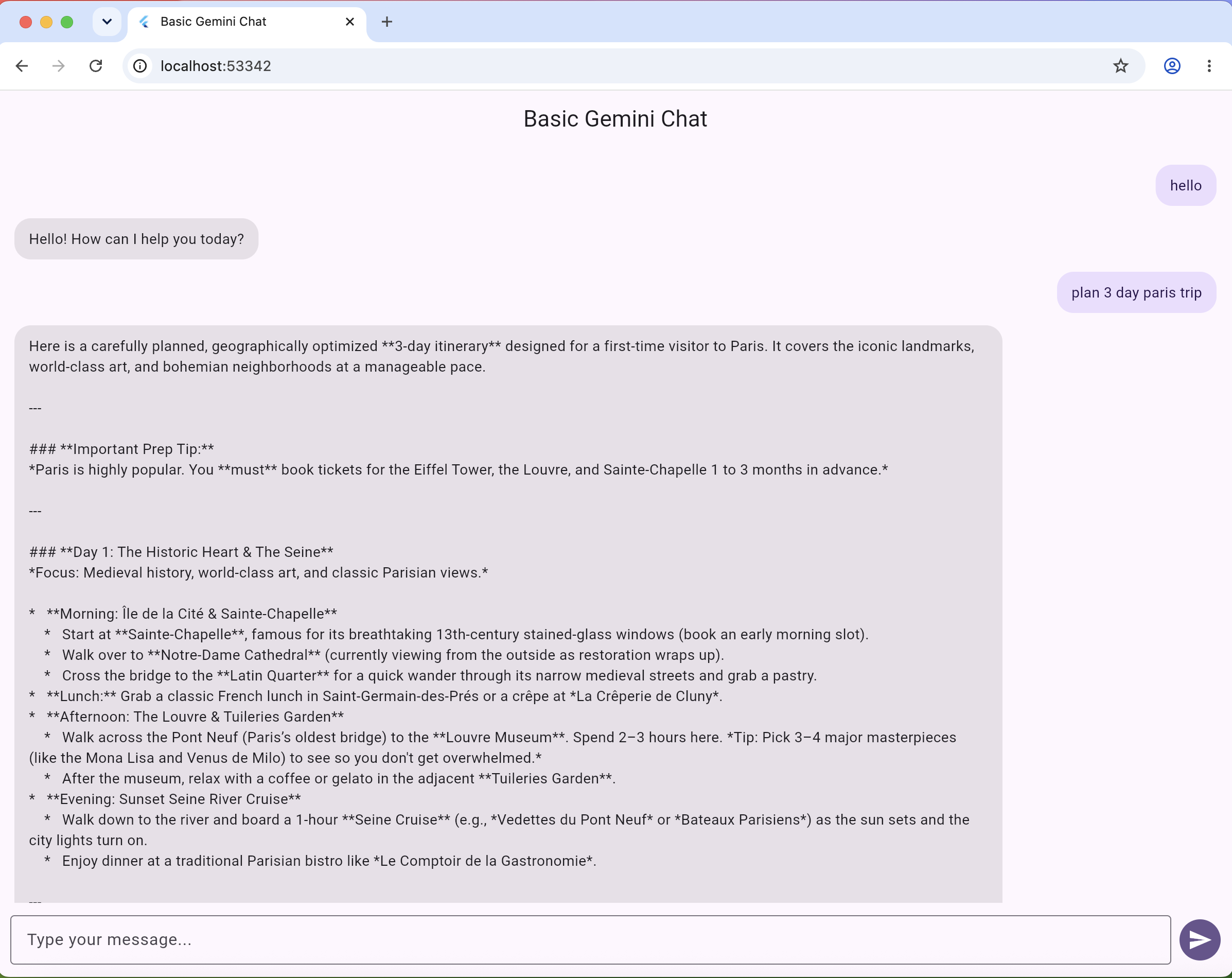
Test the basic chat app
Run:
flutter run -d chrome
Try this prompt:
Plan a weekend trip to Paris.
Expected result:
You should see a normal text response from Gemini streaming into the chat.
At this stage, the app is only a chatbot.
No GenUI yet.
In this stage, we will upgrade the app from a normal chatbot to a GenUI-powered chatbot.
We will use the default GenUI catalog first.
This means Gemini can generate built-in UI such as:
- text
- buttons
- inputs
- rows
- columns
- simple layouts
We are not adding custom widgets yet.
This step helps us to understand GenUI before creating custom widgets.
The app flow becomes:
User message
   ↓
GenUI Conversation
   ↓
Firebase AI Logic
   ↓
Gemini
   ↓
A2UI response
   ↓
GenUI renders the default Flutter UI
Stage 2 file structure
After this stage, your lib/ folder will look like this:
lib/
├── main.dart
├── firebase_options.dart
├── constants/
│   └── default_system_instruction.dart
├── models/
│   └── conversation_item.dart
├── widgets/
│   └── message_bubble.dart
└── screens/
    └── default_genui_chat_screen.dart
You can keep the Stage 1 files in the project. We will create new files for Stage 2 so learners can clearly see the difference.
Create lib/models/conversation_item.dart
Create this file:
lib/models/conversation_item.dart
Paste this complete code:
sealed class ConversationItem {}

class TextItem extends ConversationItem {
  TextItem({
    required this.text,
    this.isUser = false,
  });

  final String text;
  final bool isUser;
}

class SurfaceItem extends ConversationItem {
  SurfaceItem({
    required this.surfaceId,
  });

  final String surfaceId;
}
What this file does
A GenUI chat is not only text.
It can contain:
TextItem     → normal chat bubble
SurfaceItem  → generated UI surface
This file defines the different types of items that can appear in our chat conversation. A normal chatbot usually shows only text messages, but in a GenUI app, the AI can return both text and UI. TextItem is used for normal chat bubbles, such as a user message or an assistant text reply. SurfaceItem is used when the assistant generates a UI surface, such as a card, list, form, itinerary, product view, or any custom UI component that the app knows how to render. This makes the conversation more flexible because we can mix normal text responses and dynamic UI inside the same chat.
Create lib/widgets/message_bubble.dart
Create this file:
lib/widgets/message_bubble.dart
Paste this complete code:
import 'package:flutter/material.dart';

class MessageBubble extends StatelessWidget {
  const MessageBubble({
    super.key,
    required this.text,
    required this.isUser,
  });

  final String text;
  final bool isUser;

  @override
  Widget build(BuildContext context) {
    final colorScheme = Theme.of(context).colorScheme;

    return Align(
      alignment: isUser ? Alignment.centerRight : Alignment.centerLeft,
      child: Container(
        margin: const EdgeInsets.only(bottom: 12),
        padding: const EdgeInsets.symmetric(horizontal: 14, vertical: 10),
        constraints: BoxConstraints(
          maxWidth: MediaQuery.sizeOf(context).width * 0.8,
        ),
        decoration: BoxDecoration(
          color: isUser
              ? colorScheme.primaryContainer
              : colorScheme.surfaceContainerHighest,
          borderRadius: BorderRadius.circular(16),
        ),
        child: Text(
          text,
          style: TextStyle(
            color: isUser
                ? colorScheme.onPrimaryContainer
                : colorScheme.onSurface,
          ),
        ),
      ),
    );
  }
}
This MessageBubble The widget is responsible for showing one chat message on the screen. It receives two values: the message text and whether the message is from the user using isUser. If isUser It is true, the bubble is aligned to the right, like a normal user message in a chat app. If it is false, the bubble is aligned to the left, which we use for the assistant response. The container adds spacing, padding, and rounded corners and limits the bubble width to 80% of the screen so the message does not stretch across the whole page. The colours also change depending on who sent the message: user messages use the primary container colour, while assistant messages use a surface colour from the app theme. This keeps the chat UI clean, readable, and visually different for user and assistant messages.
Create lib/constants/default_system_instruction.dart
Create this file:
lib/constants/default_system_instruction.dart
Paste this complete code:
const defaultSystemInstruction = '''
You are a helpful assistant in a Flutter chat app with generative UI capabilities.

You can respond with plain text and also create interactive UI surfaces using
the available default GenUI catalog widgets such as text, buttons, inputs,
columns, rows and simple layouts.

When a visual layout would help the user, create a GenUI surface with clear
structure.

For simple questions, a short text reply is fine.

Keep responses concise, accurate and friendly.
''';
What this file does
This tells Gemini that it can use GenUI.
At this stage, Gemini only knows the default GenUI catalog.
Create lib/screens/default_genui_chat_screen.dart
Create this file:
lib/screens/default_genui_chat_screen.dart
This screen is where the actual GenUI integration happens. We create a Gemini chat session using Firebase AI Logic, then we create a GenUI catalog using the default GenUI components. The SurfaceController managers generated UI surfaces, and the A2uiTransportAdapter acts as a bridge between GenUI and Gemini. When the user sends a message, it goes into the GenUI conversation. Gemini can then respond with either normal text or UI instructions. If the response is text, we show it as a message bubble. If the response is UI, GenUI creates a surface, and Flutter renders it using the Surface widget. This is how we move from a normal chatbot to a dynamic AI-powered interface.
Paste this complete code:
import 'dart:async';

import 'package:firebase_ai/firebase_ai.dart';
import 'package:flutter/material.dart';
import 'package:genui/genui.dart';

import '../constants/default_system_instruction.dart';
import '../models/conversation_item.dart';
import '../widgets/message_bubble.dart';

class DefaultGenUiChatScreen extends StatefulWidget {
  const DefaultGenUiChatScreen({super.key});

  @override
  State<DefaultGenUiChatScreen> createState() => _DefaultGenUiChatScreenState();
}

class _DefaultGenUiChatScreenState extends State<DefaultGenUiChatScreen> {
  final _textController = TextEditingController();
  final _scrollController = ScrollController();

  final List<ConversationItem> _items = [];

  ChatSession? _chatSession;
  Catalog? _catalog;
  SurfaceController? _controller;
  A2uiTransportAdapter? _transport;
  Conversation? _conversation;
  StreamSubscription? _conversationSubscription;

  @override
  void initState() {
    super.initState();
    _initializeGenUi();
  }

  void _initializeGenUi() {
    final model = FirebaseAI.googleAI().generativeModel(
      model: 'gemini-flash-latest',
    );

    _chatSession = model.startChat();

    // Stage 2: Use the default GenUI catalog only.
    _catalog = BasicCatalogItems.asCatalog();

    _controller = SurfaceController(catalogs: [_catalog!]);

    _transport = A2uiTransportAdapter(onSend: _sendAndReceive);

    _conversation = Conversation(
      controller: _controller!,
      transport: _transport!,
    );

    _conversationSubscription = _conversation!.events.listen((event) {
      setState(() {
        switch (event) {
          case ConversationSurfaceAdded added:
            _items.add(SurfaceItem(surfaceId: added.surfaceId));
            _scrollToBottom();

          case ConversationSurfaceRemoved removed:
            _items.removeWhere(
              (item) =>
                  item is SurfaceItem && item.surfaceId == removed.surfaceId,
            );

          case ConversationContentReceived content:
            _items.add(TextItem(text: content.text, isUser: false));
            _scrollToBottom();

          case ConversationError error:
            _items.add(
              TextItem(
                text: 'Something went wrong: ${error.error}',
                isUser: false,
              ),
            );
            _scrollToBottom();

          default:
        }
      });
    });

    final promptBuilder = PromptBuilder.chat(
      catalog: _catalog!,
      systemPromptFragments: [defaultSystemInstruction],
    );

    _conversation!.sendRequest(
      ChatMessage.system(promptBuilder.systemPromptJoined()),
    );
  }

  Future<void> _sendAndReceive(ChatMessage msg) async {
    final buffer = StringBuffer();

    for (final part in msg.parts) {
      if (part.isUiInteractionPart) {
        buffer.write(part.asUiInteractionPart!.interaction);
      }
    }

    final text = buffer.isNotEmpty ? buffer.toString() : msg.text;

    if (text.isEmpty) return;

    final responseStream = _chatSession!.sendMessageStream(Content.text(text));

    await for (final chunk in responseStream) {
      final chunkText = chunk.text;

      if (chunkText != null && chunkText.isNotEmpty) {
        _transport!.addChunk(chunkText);
      }
    }
  }

  Future<void> _sendMessage() async {
    final text = _textController.text.trim();

    if (text.isEmpty) return;

    _textController.clear();

    setState(() {
      _items.add(TextItem(text: text, isUser: true));
    });

    _scrollToBottom();

    await _conversation!.sendRequest(ChatMessage.user(text));
  }

  void _scrollToBottom() {
    WidgetsBinding.instance.addPostFrameCallback((_) {
      if (!_scrollController.hasClients) return;

      _scrollController.animateTo(
        _scrollController.position.maxScrollExtent,
        duration: const Duration(milliseconds: 250),
        curve: Curves.easeOut,
      );
    });
  }

  @override
  void dispose() {
    _conversationSubscription?.cancel();
    _conversation?.dispose();
    _transport?.dispose();
    _controller?.dispose();
    _textController.dispose();
    _scrollController.dispose();
    super.dispose();
  }

  @override
  Widget build(BuildContext context) {
    final conversation = _conversation;
    final controller = _controller;

    final isWaiting = conversation?.state.value.isWaiting ?? false;

    return Scaffold(
      appBar: AppBar(title: const Text('Default GenUI Chat')),
      body: Column(
        children: [
          Expanded(
            child: _items.isEmpty
                ? const Center(
                    child: Padding(
                      padding: EdgeInsets.all(24),
                      child: Text(
                        'Ask Gemini to create UI.\n\nExample:\nShow me a form to collect name and email.',
                        textAlign: TextAlign.center,
                      ),
                    ),
                  )
                : ListView(
                    controller: _scrollController,
                    padding: const EdgeInsets.all(16),
                    children: [
                      for (final item in _items)
                        switch (item) {
                          TextItem() => MessageBubble(
                            text: item.text,
                            isUser: item.isUser,
                          ),
                          SurfaceItem() => Padding(
                            padding: const EdgeInsets.only(bottom: 16),
                            child: Surface(
                              surfaceContext: controller!.contextFor(
                                item.surfaceId,
                              ),
                            ),
                          ),
                        },
                    ],
                  ),
          ),
          if (isWaiting) const LinearProgressIndicator(),
          SafeArea(
            child: Padding(
              padding: const EdgeInsets.all(12),
              child: Row(
                children: [
                  Expanded(
                    child: TextField(
                      controller: _textController,
                      enabled: !isWaiting,
                      decoration: const InputDecoration(
                        hintText: 'Ask for text or generated UI...',
                        border: OutlineInputBorder(),
                      ),
                      onSubmitted: (_) => _sendMessage(),
                    ),
                  ),
                  const SizedBox(width: 8),
                  IconButton.filled(
                    onPressed: isWaiting ? null : _sendMessage,
                    icon: const Icon(Icons.send),
                  ),
                ],
              ),
            ),
          ),
        ],
      ),
    );
  }
}
Understand what is happening here
1. Create a Gemini model
final model = FirebaseAI.googleAI().generativeModel(
  model: 'gemini-flash-latest',
);
This creates the Gemini model using Firebase AI Logic. This is how our Flutter app talks to Gemini.
2. Start chat session
_chatSession = model.startChat();
This starts a chat session with Gemini, so the conversation can continue with context.
3. Add default GenUI catalog
_catalog = BasicCatalogItems.asCatalog();
The catalog tells Gemini which UI components it is allowed to generate. Here we are using the default GenUI components.
4. Create SurfaceController
_controller = SurfaceController(catalogs: [_catalog!]);
The SurfaceController manages generated UI surfaces. A surface is a UI block created by GenUI.
5. Create transport adapter
_transport = A2uiTransportAdapter(onSend: _sendAndReceive);
The transport adapter works like a bridge between GenUI and Gemini. It sends requests to Gemini and sends Gemini's response back to GenUI.
6. Create conversation
_conversation = Conversation(
  controller: _controller!,
  transport: _transport!,
);
The Conversation manages the full GenUI flow, including text, UI surfaces, errors, and user actions.
7. Listen to conversation events
_conversation!.events.listen((event) {
This listens for updates from GenUI. If GenUI receives text, we add a TextItem. If GenUI creates UI, we add a SurfaceItem.
8. Handle generated UI
case ConversationSurfaceAdded added:
  _items.add(SurfaceItem(surfaceId: added.surfaceId));
When Gemini returns UI instructions, GenUI creates a surface. We store the surface ID so Flutter can render it later.
9. Handle text response
case ConversationContentReceived content:
  _items.add(TextItem(text: content.text, isUser: false));
When Gemini returns normal text, we show it as an assistant chat bubble.
10. Build system prompt
final promptBuilder = PromptBuilder.chat(
  catalog: _catalog!,
  systemPromptFragments: [defaultSystemInstruction],
);
The system prompt tells Gemini how to behave and what UI components it can use.
11. Send user message
await _conversation!.sendRequest(ChatMessage.user(text));
When the user sends a message, we pass it to the GenUI conversation. GenUI then sends it to Gemini through the transport adapter.
12. Stream Gemini response
final responseStream = _chatSession!.sendMessageStream(Content.text(text));
Gemini sends the response back in chunks. This makes the app feel faster because the response can appear while it is being generated.
13. Pass response back to GenUI
_transport!.addChunk(chunkText);
Each Gemini response chunk is passed back to GenUI. GenUI checks whether it is text or UI.
14. Render text or UI
switch (item) {
  TextItem() => MessageBubble(...),
  SurfaceItem() => Surface(...),
}
This is the key part. If the item is text, we show a message bubble. If the item is a surface, we render the generated UI using the Surface widget.
15. Show loading state
if (isWaiting) const LinearProgressIndicator(),
When the app is waiting for Gemini, we show a loading bar and disable the text field.
16. Clean up resources
dispose()
We dispose of controllers, subscriptions, and text fields when the screen is closed. This avoids memory leaks.
Update lib/main.dart for Stage 2
Open:
lib/main.dart
Replace everything with this complete code:
import 'package:firebase_auth/firebase_auth.dart';
import 'package:firebase_core/firebase_core.dart';
import 'package:flutter/material.dart';
import 'package:genui/genui.dart';

import 'firebase_options.dart';
import 'screens/default_genui_chat_screen.dart';

void main() {
  WidgetsFlutterBinding.ensureInitialized();

  configureLogging(
    logCallback: (level, message) {
      debugPrint('GenUI $level: $message');
    },
  );

  ErrorWidget.builder = (details) {
    return Material(
      child: Center(
        child: Padding(
          padding: const EdgeInsets.all(24),
          child: Text(
            details.exceptionAsString(),
            textAlign: TextAlign.center,
          ),
        ),
      ),
    );
  };

  runApp(const BootstrapApp());
}

class BootstrapApp extends StatefulWidget {
  const BootstrapApp({super.key});

  @override
  State<BootstrapApp> createState() => _BootstrapAppState();
}

class _BootstrapAppState extends State<BootstrapApp> {
  late Future<String?> _initFuture;

  @override
  void initState() {
    super.initState();
    _initFuture = _initialize();
  }

  Future<String?> _initialize() async {
    try {
      await Firebase.initializeApp(
        options: DefaultFirebaseOptions.currentPlatform,
      );

      if (FirebaseAuth.instance.currentUser == null) {
        await FirebaseAuth.instance.signInAnonymously();
      }

      return null;
    } catch (error, stackTrace) {
      debugPrint('Firebase init failed: $error');
      debugPrintStack(stackTrace: stackTrace);
      return error.toString();
    }
  }

  @override
  Widget build(BuildContext context) {
    return MaterialApp(
      title: 'Default GenUI Chat',
      debugShowCheckedModeBanner: false,
      theme: ThemeData(
        colorScheme: ColorScheme.fromSeed(seedColor: Colors.deepPurple),
        useMaterial3: true,
      ),
      home: FutureBuilder<String?>(
        future: _initFuture,
        builder: (context, snapshot) {
          if (snapshot.connectionState != ConnectionState.done) {
            return const Scaffold(
              body: Center(
                child: Column(
                  mainAxisAlignment: MainAxisAlignment.center,
                  children: [
                    CircularProgressIndicator(),
                    SizedBox(height: 16),
                    Text('Starting Default GenUI Chat...'),
                  ],
                ),
              ),
            );
          }

          final error = snapshot.data;

          if (error != null) {
            return Scaffold(
              body: Center(
                child: Padding(
                  padding: EdgeInsets.all(24),
                  child: Text(
                    'Error: $error',
                    textAlign: TextAlign.center,
                  ),
                ),
              ),
            );
          }

          return const DefaultGenUiChatScreen();
        },
      ),
    );
  }
}
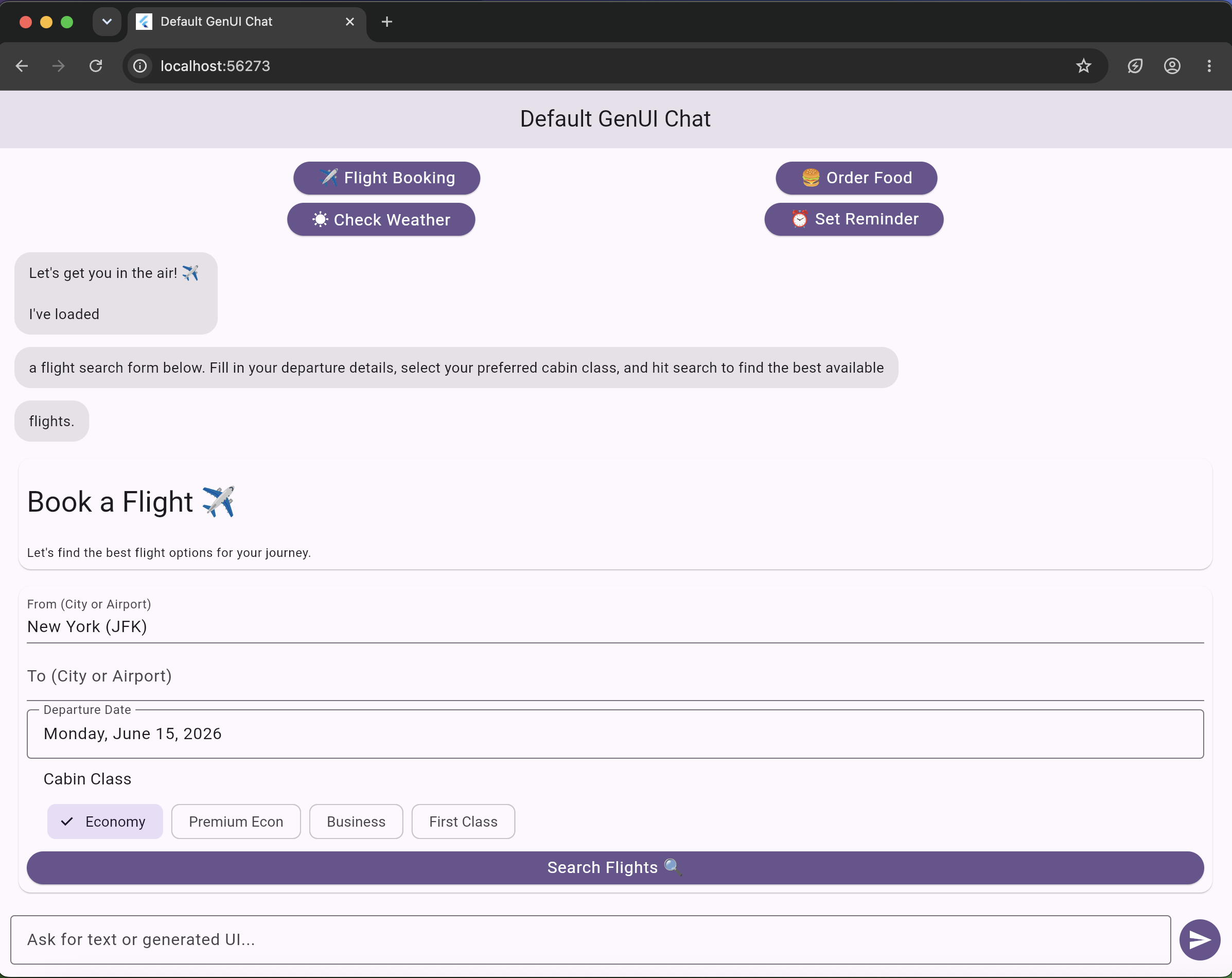
Test default GenUI
In this stage, we will create our own Flutter widgets and register them in a custom GenUI catalog.
Gemini will then be able to use your widgets.
Custom widgets we will add
InfoCard
TripSummary
DayStep
QuickTip
TagCloud
ActionButton
Stage 3 file structure
After this stage, your lib/ folder will include:
lib/
├── catalog/
│   ├── app_catalog.dart
│   ├── info_card.dart
│   ├── trip_summary.dart
│   ├── day_step.dart
│   ├── quick_tip.dart
│   ├── tag_cloud.dart
│   └── action_button.dart
├── constants/
│   └── travel_system_instruction.dart
└── screens/
    └── travel_genui_chat_screen.dart
Create lib/catalog/info_card.dart
This step creates our custom GenUI catalog for the travel planner app. Each file defines one reusable UI component that Gemini is allowed to generate, such as an InfoCard for a destination, TripSummary for a trip overview, DayStep for itinerary days, QuickTip for travel advice, TagCloud for interests, and ActionButton for interactive actions. Each component has a schema that tells Gemini what data it needs, example data to guide the model, and a widgetBuilder that turns the generated JSON into a real Flutter widget. This is the main power of GenUI: instead of Gemini only returning text, it can return structured UI data, and our Flutter app renders it as beautiful custom components.
Understanding the example data format
The exampleData shows Gemini what kind of JSON it should generate for this component.
The basic format is:
[
  {
    "id": "uniqueId",
    "component": "ComponentName",
    "property1": "value",
    "property2": "value"
  }
]
The outer [ ] means GenUI can receive a list of UI components.
Each object inside the list represents one UI block.
The id It is a unique name for that UI block. GenUI uses this ID to identify and render the component.
The component value must match the name of your CatalogItem. For example, if your catalog item is called InfoCard, the JSON must use:
"component": "InfoCard"
The remaining fields are the data that your widget needs. For an InfoCard, this could be title, message, and imageUrl.
Example:
[
  {
    "id": "parisCard",
    "component": "InfoCard",
    "title": "Paris",
    "message": "A beautiful city for food and culture.",
    "imageUrl": "https://images.unsplash.com/photo-1502602898657-3e91760cbb34?w=800"
  }
]
In simple words, this example tells Gemini: "When you want to show an InfoCard, return JSON in this structure, and Flutter will render it as a real UI component."
Let's create this file:
lib/catalog/info_card.dart
Paste this complete code:
import 'package:flutter/material.dart';
import 'package:genui/genui.dart';
import 'package:json_schema_builder/json_schema_builder.dart';

final infoCardSchema = S.object(
  description: 'A visual card for destinations with a hero image.',
  properties: {
    'title': S.string(
      description: 'Place name, for example Paris',
    ),
    'subtitle': S.string(
      description: 'Short tagline, maximum 6 words',
    ),
    'message': S.string(
      description: 'One short sentence about the place',
    ),
    'imageUrl': S.string(
      description: 'HTTPS image URL. Prefer images.unsplash.com',
    ),
    'tag': S.string(
      description: 'Optional badge, for example 3 days',
    ),
    'emoji': S.string(
      description: 'Optional emoji',
    ),
  },
  required: ['title', 'message', 'imageUrl'],
);

final infoCard = CatalogItem(
  name: 'InfoCard',
  dataSchema: infoCardSchema,
  exampleData: [
    () => '''
[
  {
    "id": "root",
    "component": "Column",
    "children": ["paris"]
  },
  {
    "id": "paris",
    "component": "InfoCard",
    "title": "Paris",
    "subtitle": "City of Light",
    "message": "Iconic landmarks, café culture and art.",
    "imageUrl": "https://images.unsplash.com/photo-1502602898657-3e91760cbb34?w=800",
    "tag": "3 days",
    "emoji": "🇫🇷"
  }
]
''',
  ],
  widgetBuilder: (itemContext) {
    final json = itemContext.data as JsonMap;

    final title = json['title'] as String;
    final message = json['message'] as String;
    final imageUrl = json['imageUrl'] as String;

    final subtitle = json['subtitle'] as String?;
    final tag = json['tag'] as String?;
    final emoji = json['emoji'] as String?;

    final context = itemContext.buildContext;
    final theme = Theme.of(context);
    final colorScheme = theme.colorScheme;

    return Card(
      clipBehavior: Clip.antiAlias,
      margin: const EdgeInsets.only(bottom: 12),
      child: Column(
        crossAxisAlignment: CrossAxisAlignment.start,
        children: [
          Image.network(
            imageUrl,
            height: 160,
            width: double.infinity,
            fit: BoxFit.cover,
            errorBuilder: (context, error, stackTrace) {
              return Container(
                height: 160,
                color: colorScheme.surfaceContainerHighest,
                child: const Center(
                  child: Icon(Icons.image_not_supported_outlined),
                ),
              );
            },
          ),
          Padding(
            padding: const EdgeInsets.all(16),
            child: Column(
              crossAxisAlignment: CrossAxisAlignment.start,
              children: [
                if (tag != null || emoji != null)
                  Wrap(
                    spacing: 8,
                    crossAxisAlignment: WrapCrossAlignment.center,
                    children: [
                      if (emoji != null)
                        Text(
                          emoji,
                          style: const TextStyle(fontSize: 24),
                        ),
                      if (tag != null)
                        Chip(
                          label: Text(tag),
                          visualDensity: VisualDensity.compact,
                        ),
                    ],
                  ),
                const SizedBox(height: 8),
                Text(
                  title,
                  style: theme.textTheme.titleLarge,
                ),
                if (subtitle != null) ...[
                  const SizedBox(height: 4),
                  Text(
                    subtitle,
                    style: theme.textTheme.bodyMedium?.copyWith(
                      color: colorScheme.primary,
                    ),
                  ),
                ],
                const SizedBox(height: 8),
                Text(message),
              ],
            ),
          ),
        ],
      ),
    );
  },
);
Create lib/catalog/trip_summary.dart
Create this file:
lib/catalog/trip_summary.dart
Paste this complete code:
import 'package:flutter/material.dart';
import 'package:genui/genui.dart';
import 'package:json_schema_builder/json_schema_builder.dart';

final tripSummarySchema = S.object(
  description: 'A trip overview header with duration, budget and vibe.',
  properties: {
    'title': S.string(description: 'Trip title'),
    'duration': S.string(description: 'Trip duration, for example 5 days'),
    'budget': S.string(description: 'Budget, for example £700'),
    'vibe': S.string(description: 'Trip vibe, for example Food and culture'),
  },
  required: ['title', 'duration'],
);

final tripSummary = CatalogItem(
  name: 'TripSummary',
  dataSchema: tripSummarySchema,
  exampleData: [
    () => '''
[
  {
    "id": "root",
    "component": "TripSummary",
    "title": "Italy Food and Culture Trip",
    "duration": "5 days",
    "budget": "£800",
    "vibe": "Food, culture and slow travel"
  }
]
''',
  ],
  widgetBuilder: (itemContext) {
    final json = itemContext.data as JsonMap;

    final title = json['title'] as String;
    final duration = json['duration'] as String;
    final budget = json['budget'] as String?;
    final vibe = json['vibe'] as String?;

    final context = itemContext.buildContext;
    final theme = Theme.of(context);
    final colorScheme = theme.colorScheme;

    return Container(
      width: double.infinity,
      margin: const EdgeInsets.only(bottom: 12),
      padding: const EdgeInsets.all(18),
      decoration: BoxDecoration(
        color: colorScheme.primaryContainer,
        borderRadius: BorderRadius.circular(20),
      ),
      child: Column(
        crossAxisAlignment: CrossAxisAlignment.start,
        children: [
          Text(
            title,
            style: theme.textTheme.titleLarge?.copyWith(
              color: colorScheme.onPrimaryContainer,
              fontWeight: FontWeight.bold,
            ),
          ),
          const SizedBox(height: 12),
          Wrap(
            spacing: 8,
            runSpacing: 8,
            children: [
              Chip(label: Text(duration)),
              if (budget != null) Chip(label: Text(budget)),
              if (vibe != null) Chip(label: Text(vibe)),
            ],
          ),
        ],
      ),
    );
  },
);
Create lib/catalog/day_step.dart
Create this file:
lib/catalog/day_step.dart
Paste this complete code:
import 'package:flutter/material.dart';
import 'package:genui/genui.dart';
import 'package:json_schema_builder/json_schema_builder.dart';

final dayStepSchema = S.object(
  description: 'A day-by-day itinerary timeline row.',
  properties: {
    'day': S.string(description: 'Day label, for example Day 1'),
    'title': S.string(description: 'Short title for the day'),
    'activity': S.string(description: 'Main activity for that day'),
  },
  required: ['day', 'title', 'activity'],
);

final dayStep = CatalogItem(
  name: 'DayStep',
  dataSchema: dayStepSchema,
  exampleData: [
    () => '''
[
  {
    "id": "day1",
    "component": "DayStep",
    "day": "Day 1",
    "title": "Explore Rome",
    "activity": "Visit the Colosseum, Roman Forum and enjoy local pasta."
  }
]
''',
  ],
  widgetBuilder: (itemContext) {
    final json = itemContext.data as JsonMap;

    final day = json['day'] as String;
    final title = json['title'] as String;
    final activity = json['activity'] as String;

    final context = itemContext.buildContext;
    final theme = Theme.of(context);
    final colorScheme = theme.colorScheme;

    final dayNumber = day.replaceAll(RegExp(r'[^0-9]'), '');

    return Container(
      margin: const EdgeInsets.only(bottom: 10),
      padding: const EdgeInsets.all(14),
      decoration: BoxDecoration(
        border: Border.all(color: colorScheme.outlineVariant),
        borderRadius: BorderRadius.circular(16),
      ),
      child: Row(
        crossAxisAlignment: CrossAxisAlignment.start,
        children: [
          CircleAvatar(
            backgroundColor: colorScheme.primaryContainer,
            child: Text(
              dayNumber.isEmpty ? '•' : dayNumber,
            ),
          ),
          const SizedBox(width: 12),
          Expanded(
            child: Column(
              crossAxisAlignment: CrossAxisAlignment.start,
              children: [
                Text(
                  day,
                  style: theme.textTheme.labelMedium,
                ),
                Text(
                  title,
                  style: theme.textTheme.titleMedium,
                ),
                const SizedBox(height: 4),
                Text(activity),
              ],
            ),
          ),
        ],
      ),
    );
  },
);
Create lib/catalog/quick_tip.dart
Create this file:
lib/catalog/quick_tip.dart
Paste this complete code:
import 'package:flutter/material.dart';
import 'package:genui/genui.dart';
import 'package:json_schema_builder/json_schema_builder.dart';

final quickTipSchema = S.object(
  description: 'A short travel tip callout.',
  properties: {
    'tip': S.string(description: 'One short useful tip'),
    'emoji': S.string(description: 'Optional emoji'),
  },
  required: ['tip'],
);

final quickTip = CatalogItem(
  name: 'QuickTip',
  dataSchema: quickTipSchema,
  exampleData: [
    () => '''
[
  {
    "id": "tip1",
    "component": "QuickTip",
    "tip": "Book museum tickets early to avoid long queues.",
    "emoji": "💡"
  }
]
''',
  ],
  widgetBuilder: (itemContext) {
    final json = itemContext.data as JsonMap;

    final tip = json['tip'] as String;
    final emoji = json['emoji'] as String? ?? '💡';

    final context = itemContext.buildContext;
    final colorScheme = Theme.of(context).colorScheme;

    return Container(
      margin: const EdgeInsets.only(bottom: 12),
      padding: const EdgeInsets.all(14),
      decoration: BoxDecoration(
        color: colorScheme.secondaryContainer,
        borderRadius: BorderRadius.circular(16),
      ),
      child: Row(
        crossAxisAlignment: CrossAxisAlignment.start,
        children: [
          Text(
            emoji,
            style: const TextStyle(fontSize: 22),
          ),
          const SizedBox(width: 10),
          Expanded(
            child: Text(
              tip,
              style: TextStyle(
                color: colorScheme.onSecondaryContainer,
              ),
            ),
          ),
        ],
      ),
    );
  },
);
Create lib/catalog/tag_cloud.dart
Create this file:
lib/catalog/tag_cloud.dart
Paste this complete code:
import 'package:flutter/material.dart';
import 'package:genui/genui.dart';
import 'package:json_schema_builder/json_schema_builder.dart';

final tagCloudSchema = S.object(
  description: 'A group of interest or theme tags.',
  properties: {
    'label': S.string(description: 'Short heading for the tag group'),
    'tags': S.list(description: 'List of short tags', items: S.string()),
  },
  required: ['tags'],
);

final tagCloud = CatalogItem(
  name: 'TagCloud',
  dataSchema: tagCloudSchema,
  exampleData: [
    () => '''
[
  {
    "id": "tags",
    "component": "TagCloud",
    "label": "Trip themes",
    "tags": ["Food", "Culture", "Nature"]
  }
]
''',
  ],
  widgetBuilder: (itemContext) {
    final json = itemContext.data as JsonMap;

    final label = json['label'] as String?;
    final tags = (json['tags'] as List<dynamic>)
        .map((tag) => tag.toString())
        .toList();

    final context = itemContext.buildContext;
    final theme = Theme.of(context);

    return Padding(
      padding: const EdgeInsets.only(bottom: 12),
      child: Column(
        crossAxisAlignment: CrossAxisAlignment.start,
        children: [
          if (label != null) ...[
            Text(label, style: theme.textTheme.titleSmall),
            const SizedBox(height: 8),
          ],
          Wrap(
            spacing: 8,
            runSpacing: 8,
            children: [
              for (final tag in tags)
                Chip(label: Text(tag), visualDensity: VisualDensity.compact),
            ],
          ),
        ],
      ),
    );
  },
);
Create lib/catalog/action_button.dart
Create this file:
lib/catalog/action_button.dart
Paste this complete code:
import 'package:flutter/material.dart';
import 'package:genui/genui.dart';
import 'package:json_schema_builder/json_schema_builder.dart';

final actionButtonSchema = S.object(
  description:
      'A tappable button that sends an action event back to the assistant.',
  properties: {
    'label': S.string(description: 'Button text shown to the user'),
    'emoji': S.string(description: 'Optional emoji'),
    'variant': S.string(description: 'primary or outline'),
    'fullWidth': S.boolean(description: 'Whether the button fills the width'),
    'action': S.object(
      description: 'Action event payload',
      properties: {
        'name': S.string(description: 'Event name such as plan_destination'),
        'context': S.object(
          description: 'Extra action context such as destination or days',
        ),
      },
      required: ['name'],
    ),
  },
  required: ['label', 'action'],
);

final actionButton = CatalogItem(
  name: 'ActionButton',
  dataSchema: actionButtonSchema,
  exampleData: [
    () => '''
[
  {
    "id": "planButton",
    "component": "ActionButton",
    "label": "Plan my Paris trip",
    "emoji": "✈️",
    "variant": "primary",
    "fullWidth": true,
    "action": {
      "name": "plan_destination",
      "context": {
        "destination": "Paris",
        "days": 3,
        "label": "Plan my Paris trip"
      }
    }
  }
]
''',
  ],
  widgetBuilder: (itemContext) {
    final json = itemContext.data as JsonMap;

    final label = json['label'] as String;
    final emoji = json['emoji'] as String?;
    final variant = json['variant'] as String? ?? 'primary';
    final fullWidth = json['fullWidth'] as bool? ?? true;
    final action = json['action'] as JsonMap;

    final child = Text(emoji == null ? label : '$emoji $label');

    void handlePressed() {
      itemContext.dispatchEvent(
        UserActionEvent(
          name: action['name'] as String,
          sourceComponentId: itemContext.id,
          context: action['context'] as JsonMap?,
        ),
      );
    }

    final button = variant == 'outline'
        ? OutlinedButton(onPressed: handlePressed, child: child)
        : FilledButton(onPressed: handlePressed, child: child);

    return Padding(
      padding: const EdgeInsets.only(bottom: 12),
      child: fullWidth
          ? SizedBox(width: double.infinity, child: button)
          : button,
    );
  },
);
Create lib/catalog/app_catalog.dart
Create this file:
lib/catalog/app_catalog.dart
Paste this complete code:
import 'package:genui/genui.dart';

import 'action_button.dart';
import 'day_step.dart';
import 'info_card.dart';
import 'quick_tip.dart';
import 'tag_cloud.dart';
import 'trip_summary.dart';

abstract final class AppCatalog {
  AppCatalog._();

  static Catalog create() {
    return BasicCatalogItems.asNoAssetCatalog().copyWith(
      newItems: [
        infoCard,
        tripSummary,
        dayStep,
        quickTip,
        tagCloud,
        actionButton,
      ],
    );
  }
}
Important point
This catalog contains:
Default GenUI widgets
+
Your custom travel widgets
This file creates a central AppCatalog for our GenUI app. Instead of adding each custom component separately inside the chat screen, we collect all our travel components in one place: InfoCard, TripSummary, DayStep, QuickTip, TagCloud, and ActionButton. The code starts with GenUI's basic catalog using BasicCatalogItems.asNoAssetCatalog(), then adds our own custom components with copyWith(newItems: [...]). This makes the app cleaner and easier to maintain because the chat screen only needs to call AppCatalog.create() to access all available GenUI components.
Create lib/constants/travel_system_instruction.dart
Create this file:
lib/constants/travel_system_instruction.dart
Paste this complete code:
const travelSystemInstruction = '''
You are a helpful travel and discovery assistant in a Flutter chat app with generative UI.

### Response style
- Prefer visual GenUI surfaces over long plain-text replies.
- Keep copy short and scannable.
- Do not send long numbered lists.
- Combine custom widgets in a Column for rich, visual answers.

### Custom widgets

TripSummary:
Use this once at the top of a trip plan.
It should include title, duration, budget and vibe.

InfoCard:
Use this for destinations or places.
Always include imageUrl.
Use HTTPS image URLs.
Prefer images.unsplash.com.
Keep message short.

DayStep:
Use this for day-by-day itinerary plans.
Use one DayStep per day.

QuickTip:
Use this for short travel advice.
Use only 1 or 2 tips per response.

TagCloud:
Use this for interests or trip themes.
Example tags: Food, Culture, Nature, Castles, Family, Budget.

ActionButton:
Use this when the user should take the next step.
Examples:
- Plan trip
- Show details
- Make it cheaper
- Make it family friendly

When using ActionButton:
- Include action.event.name.
- Include useful action.event.context.
- When the user taps an ActionButton, respond with a new visual GenUI surface.

### Suggested layout

For trip recommendations, use:

Column:
1. TripSummary
2. TagCloud
3. InfoCard widgets
4. ActionButton
5. QuickTip

For itinerary planning, use:

Column:
1. TripSummary
2. DayStep for each day
3. QuickTip
4. ActionButton

For simple yes/no questions, a short plain-text reply is fine.
''';
create lib/screens/travel_genui_chat_screen.dart
Create this file:
lib/screens/travel_genui_chat_screen.dart
Paste this complete code:
import 'dart:async';
import 'dart:convert';

import 'package:firebase_ai/firebase_ai.dart';
import 'package:flutter/material.dart';
import 'package:genui/genui.dart';

import '../catalog/app_catalog.dart';
import '../constants/travel_system_instruction.dart';
import '../models/conversation_item.dart';
import '../widgets/message_bubble.dart';

class TravelGenUiChatScreen extends StatefulWidget {
  const TravelGenUiChatScreen({super.key});

  @override
  State<TravelGenUiChatScreen> createState() => _TravelGenUiChatScreenState();
}

class _TravelGenUiChatScreenState extends State<TravelGenUiChatScreen> {
  final _textController = TextEditingController();
  final _scrollController = ScrollController();

  final List<ConversationItem> _items = [];

  ChatSession? _chatSession;
  Catalog? _catalog;
  SurfaceController? _controller;
  A2uiTransportAdapter? _transport;
  Conversation? _conversation;
  StreamSubscription? _conversationSubscription;

  @override
  void initState() {
    super.initState();
    _initializeGenUi();
  }

  void _initializeGenUi() {
    final model = FirebaseAI.googleAI().generativeModel(
      model: 'gemini-flash-latest',
    );

    _chatSession = model.startChat();

    // Stage 3: Use custom travel catalog.
    _catalog = AppCatalog.create();

    _controller = SurfaceController(catalogs: [_catalog!]);

    _transport = A2uiTransportAdapter(onSend: _sendAndReceive);

    _conversation = Conversation(
      controller: _controller!,
      transport: _transport!,
    );

    _conversationSubscription = _conversation!.events.listen((event) {
      setState(() {
        switch (event) {
          case ConversationSurfaceAdded added:
            _items.add(SurfaceItem(surfaceId: added.surfaceId));
            _scrollToBottom();

          case ConversationSurfaceRemoved removed:
            _items.removeWhere(
              (item) =>
                  item is SurfaceItem && item.surfaceId == removed.surfaceId,
            );

          case ConversationContentReceived content:
            _items.add(TextItem(text: content.text, isUser: false));
            _scrollToBottom();

          case ConversationError error:
            _items.add(
              TextItem(
                text: 'Something went wrong: ${error.error}',
                isUser: false,
              ),
            );
            _scrollToBottom();

          default:
        }
      });
    });

    final promptBuilder = PromptBuilder.chat(
      catalog: _catalog!,
      systemPromptFragments: [travelSystemInstruction],
    );

    _conversation!.sendRequest(
      ChatMessage.system(promptBuilder.systemPromptJoined()),
    );
  }

  Future<void> _sendAndReceive(ChatMessage msg) async {
    final buffer = StringBuffer();
    String? actionLabel;

    for (final part in msg.parts) {
      if (part.isUiInteractionPart) {
        final interaction = part.asUiInteractionPart!.interaction;
        buffer.write(interaction);
        actionLabel ??= _labelForInteraction(interaction);
      }
    }

    final text = buffer.isNotEmpty ? buffer.toString() : msg.text;

    if (text.isEmpty) return;

    final tappedLabel = actionLabel;

    if (tappedLabel != null) {
      setState(() {
        _items.add(TextItem(text: tappedLabel, isUser: true));
      });

      _scrollToBottom();
    }

    final responseStream = _chatSession!.sendMessageStream(Content.text(text));

    await for (final chunk in responseStream) {
      final chunkText = chunk.text;

      if (chunkText != null && chunkText.isNotEmpty) {
        _transport!.addChunk(chunkText);
      }
    }
  }

  String? _labelForInteraction(String interaction) {
    try {
      final map = jsonDecode(interaction) as Map<String, dynamic>;

      final action = map['action'] as Map<String, dynamic>?;

      if (action == null) return null;

      final context = action['context'] as Map<String, dynamic>? ?? {};

      final label = context['label'] as String?;

      if (label != null && label.isNotEmpty) {
        return label;
      }

      final destination = context['destination'] as String?;

      if (destination != null) {
        return 'Selected: $destination';
      }

      final name = action['name'] as String?;

      return name?.replaceAll('_', ' ');
    } catch (_) {
      return null;
    }
  }

  Future<void> _sendMessage() async {
    final text = _textController.text.trim();

    if (text.isEmpty) return;

    _textController.clear();

    setState(() {
      _items.add(TextItem(text: text, isUser: true));
    });

    _scrollToBottom();

    await _conversation!.sendRequest(ChatMessage.user(text));
  }

  void _scrollToBottom() {
    WidgetsBinding.instance.addPostFrameCallback((_) {
      if (!_scrollController.hasClients) return;

      _scrollController.animateTo(
        _scrollController.position.maxScrollExtent,
        duration: const Duration(milliseconds: 250),
        curve: Curves.easeOut,
      );
    });
  }

  @override
  void dispose() {
    _conversationSubscription?.cancel();
    _conversation?.dispose();
    _transport?.dispose();
    _controller?.dispose();
    _textController.dispose();
    _scrollController.dispose();
    super.dispose();
  }

  @override
  Widget build(BuildContext context) {
    final conversation = _conversation;
    final controller = _controller;

    final isWaiting = conversation?.state.value.isWaiting ?? false;

    return Scaffold(
      appBar: AppBar(title: const Text('GenUI Travel Planner')),
      body: Column(
        children: [
          Expanded(
            child: _items.isEmpty
                ? const Center(
                    child: Padding(
                      padding: EdgeInsets.all(24),
                      child: Text(
                        'Ask Gemini to create a travel UI.\n\nExample:\nPlan a 5-day Italy trip with food and culture.',
                        textAlign: TextAlign.center,
                      ),
                    ),
                  )
                : ListView(
                    controller: _scrollController,
                    padding: const EdgeInsets.all(16),
                    children: [
                      for (final item in _items)
                        switch (item) {
                          TextItem() => MessageBubble(
                            text: item.text,
                            isUser: item.isUser,
                          ),
                          SurfaceItem() => Padding(
                            padding: const EdgeInsets.only(bottom: 16),
                            child: Align(
                              alignment: Alignment.centerLeft,
                              child: ConstrainedBox(
                                constraints: BoxConstraints(
                                  maxWidth:
                                      MediaQuery.sizeOf(context).width * 0.92,
                                ),
                                child: Surface(
                                  surfaceContext: controller!.contextFor(
                                    item.surfaceId,
                                  ),
                                ),
                              ),
                            ),
                          ),
                        },
                    ],
                  ),
          ),
          if (isWaiting) const LinearProgressIndicator(),
          SafeArea(
            child: Padding(
              padding: const EdgeInsets.all(12),
              child: Row(
                children: [
                  Expanded(
                    child: TextField(
                      controller: _textController,
                      enabled: !isWaiting,
                      decoration: const InputDecoration(
                        hintText: 'Ask for a trip plan...',
                        border: OutlineInputBorder(),
                      ),
                      onSubmitted: (_) => _sendMessage(),
                    ),
                  ),
                  const SizedBox(width: 8),
                  IconButton.filled(
                    onPressed: isWaiting ? null : _sendMessage,
                    icon: const Icon(Icons.send),
                  ),
                ],
              ),
            ),
          ),
        ],
      ),
    );
  }
}
Important line in Stage 3
_catalog = AppCatalog.create();
This means:
Use default GenUI widgets plus custom travel widgets.
Update lib/main.dart for Stage 3
Open:
lib/main.dart
Replace everything with this complete code:
import 'package:firebase_auth/firebase_auth.dart';
import 'package:firebase_core/firebase_core.dart';
import 'package:flutter/material.dart';
import 'package:genui/genui.dart';

import 'firebase_options.dart';
import 'screens/travel_genui_chat_screen.dart';

void main() {
  WidgetsFlutterBinding.ensureInitialized();

  configureLogging(
    logCallback: (level, message) {
      debugPrint('GenUI $level: $message');
    },
  );

  ErrorWidget.builder = (details) {
    return Material(
      child: Center(
        child: Padding(
          padding: const EdgeInsets.all(24),
          child: Text(
            details.exceptionAsString(),
            textAlign: TextAlign.center,
          ),
        ),
      ),
    );
  };

  runApp(const BootstrapApp());
}

class BootstrapApp extends StatefulWidget {
  const BootstrapApp({super.key});

  @override
  State<BootstrapApp> createState() => _BootstrapAppState();
}

class _BootstrapAppState extends State<BootstrapApp> {
  late Future<String?> _initFuture;

  @override
  void initState() {
    super.initState();
    _initFuture = _initialize();
  }

  Future<String?> _initialize() async {
    try {
      await Firebase.initializeApp(
        options: DefaultFirebaseOptions.currentPlatform,
      );

      if (FirebaseAuth.instance.currentUser == null) {
        await FirebaseAuth.instance.signInAnonymously();
      }

      return null;
    } catch (error, stackTrace) {
      debugPrint('Firebase init failed: $error');
      debugPrintStack(stackTrace: stackTrace);
      return error.toString();
    }
  }

  @override
  Widget build(BuildContext context) {
    return MaterialApp(
      title: 'GenUI Travel Planner',
      debugShowCheckedModeBanner: false,
      theme: ThemeData(
        colorScheme: ColorScheme.fromSeed(seedColor: Colors.deepPurple),
        useMaterial3: true,
      ),
      home: FutureBuilder<String?>(
        future: _initFuture,
        builder: (context, snapshot) {
          if (snapshot.connectionState != ConnectionState.done) {
            return const Scaffold(
              body: Center(
                child: Column(
                  mainAxisAlignment: MainAxisAlignment.center,
                  children: [
                    CircularProgressIndicator(),
                    SizedBox(height: 16),
                    Text('Starting GenUI Travel Planner...'),
                  ],
                ),
              ),
            );
          }

          final error = snapshot.data;

          if (error != null) {
            return Scaffold(
              body: Center(
                child: Padding(
                  padding: EdgeInsets.all(24),
                  child: Text(
                    'Error: $error',
                    textAlign: TextAlign.center,
                  ),
                ),
              ),
            );
          }

          return const TravelGenUiChatScreen();
        },
      ),
    );
  }
}
{% file src=".gitbook/assets/Screen Recording 2026-06-12 at 14.30.30.mov" %}